



When you’re building on Salesforce with Apex, getting the code to work is only half the battle. Writing scalable, maintainable, and limit-safe code is what separates a good developer from a great one. Many common mistakes show up again and again; they can make your org unstable, cause deployments to fail, or hit governor limits in production.
Here are the most common Apex mistakes (and how to avoid them).
Running SOQL or DML Statements Inside Loops
Why it’s risky:
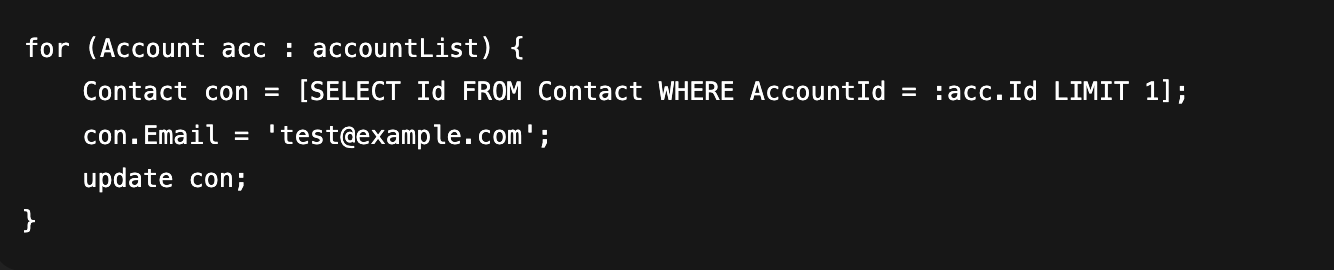
It looks innocent in a sandbox when you only test with a few records. But in production? That same loop can run hundreds of times, firing off SOQL queries and DML operations each time. Before you know it, you’re hitting governor limits.
Bad Example:
This will crash if accountList contains too many records.
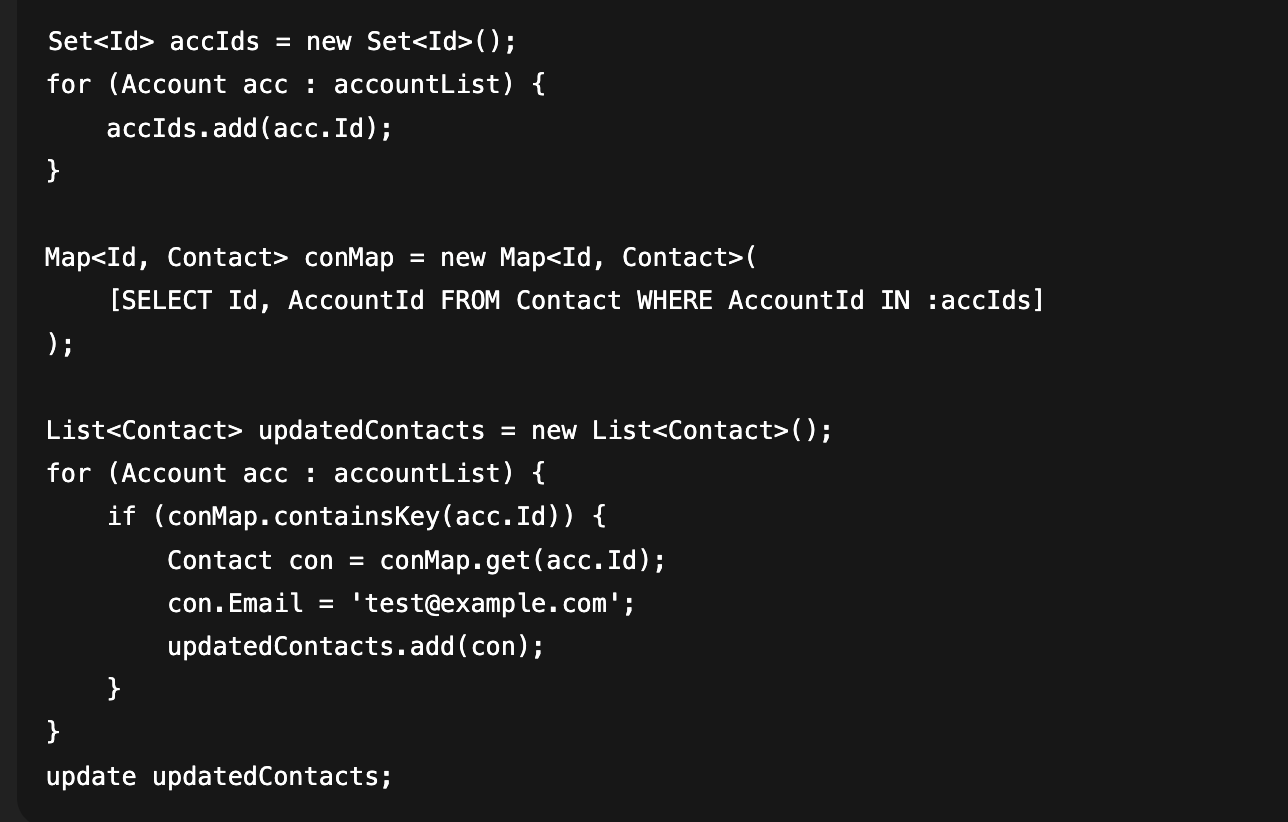
Best Practice:
Always move your queries and DML outside the loop. Use maps and lists to prepare everything first.
Forgetting Bulkification in Triggers
Why it’s risky:
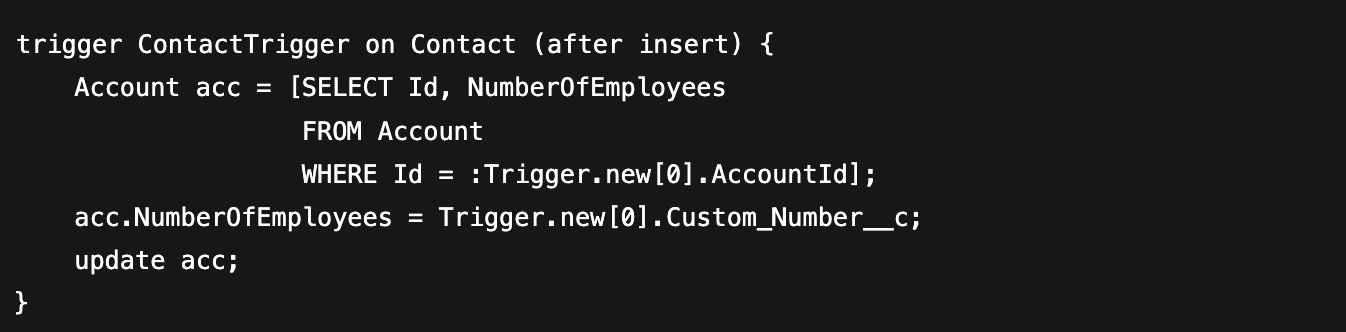
Salesforce always processes records in bulk, even if you only see one record in your test. If your trigger assumes a single record, it will fail when 200 records are processed in one transaction.
Bad Example:
This fails as soon as multiple contacts are inserted at once.
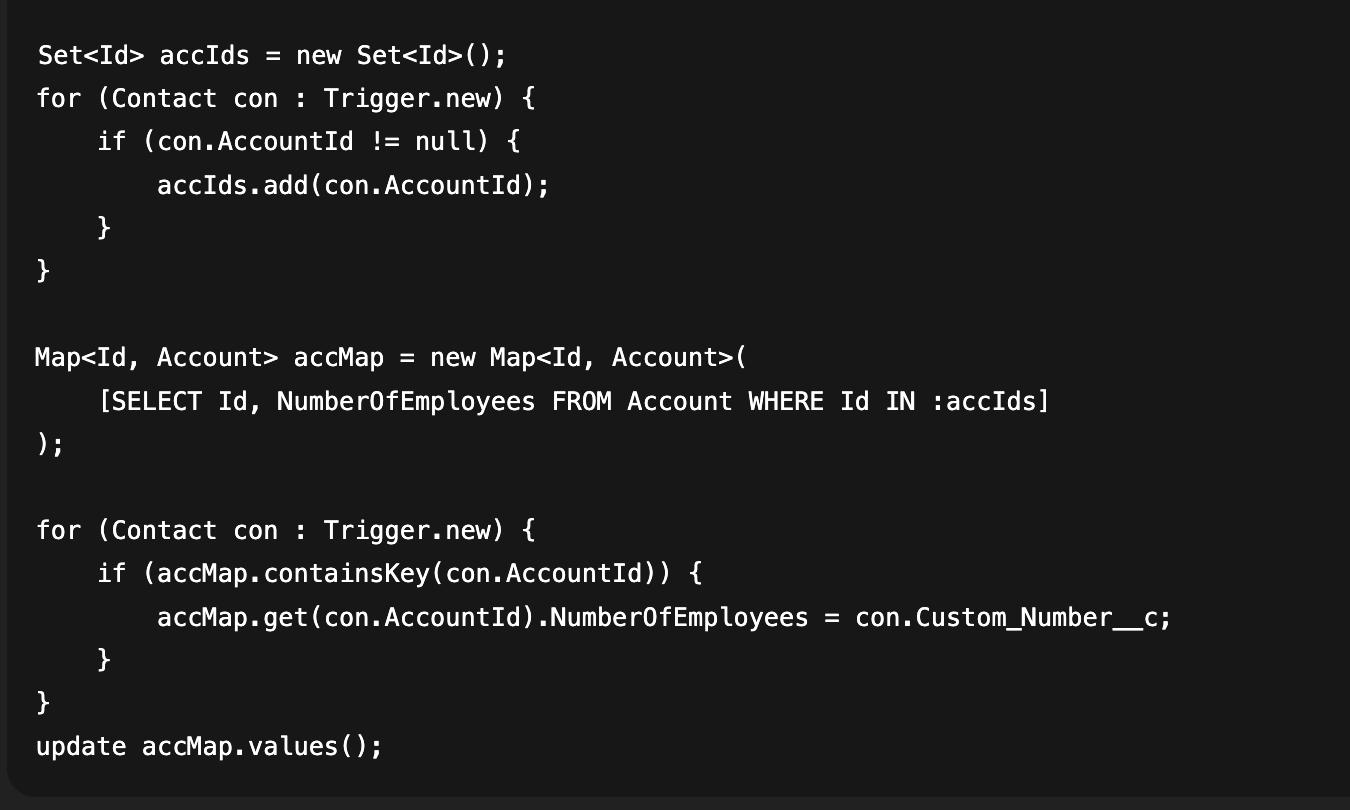
Best Practice:
Think in bulk. Collect all IDs, query once, and process all records together.
Hardcoding IDs or Picklist Values
Why it’s risky:
Hardcoding record type IDs, user IDs, or picklist values is quick and dirty. But as soon as you deploy to another org, those IDs will change, breaking your code instantly.
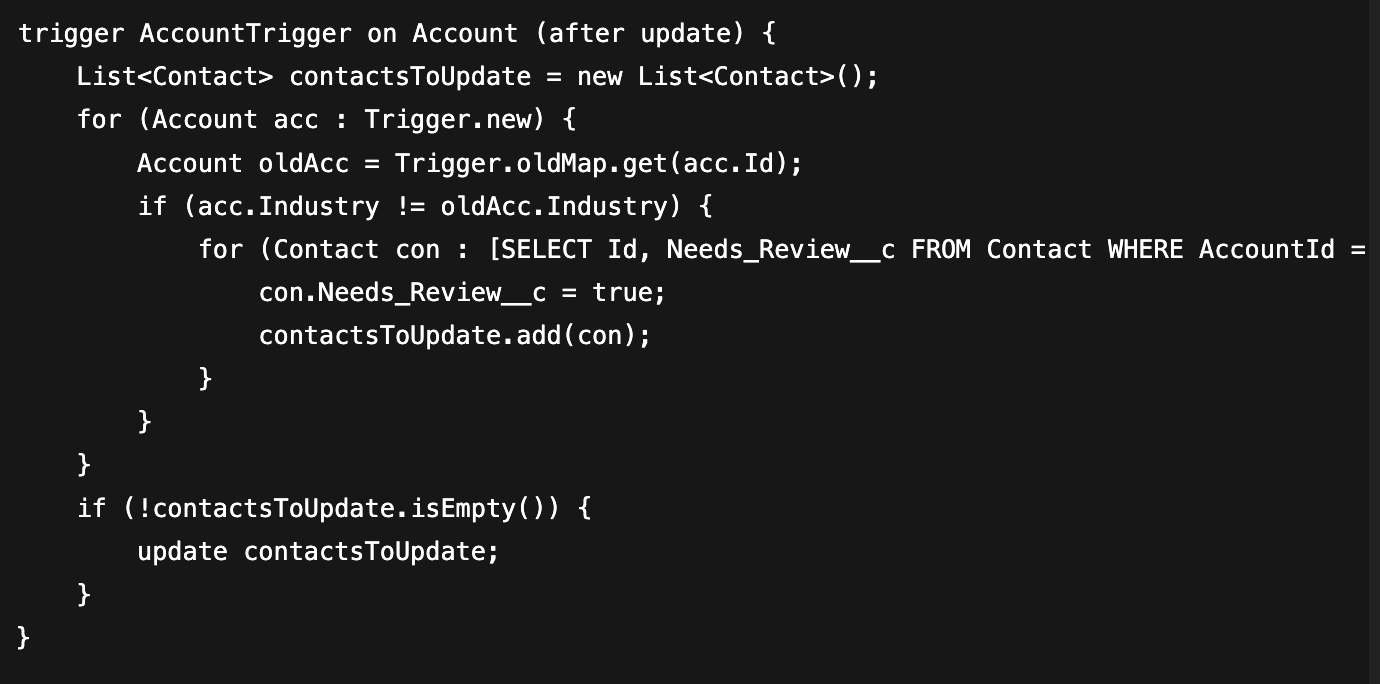
Best Practice:
Query IDs dynamically or use the Schema to fetch picklist values.
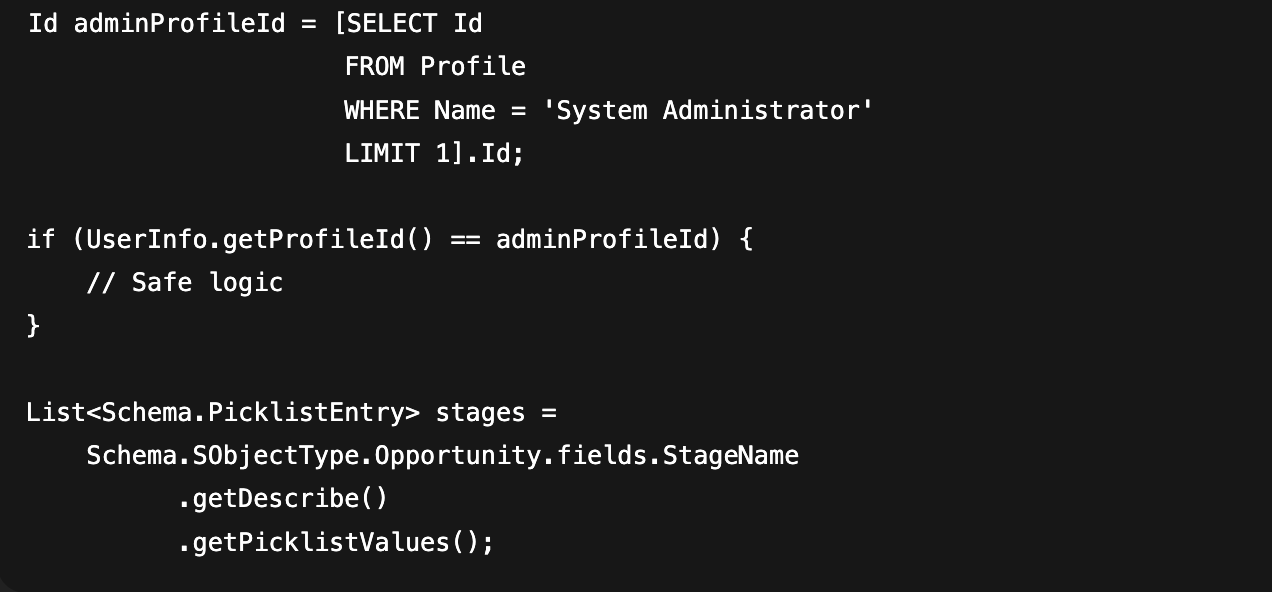
Trigger Recursion Issues
Why it’s risky:
When a trigger updates a record that fires another trigger or even the same one, it can cause an infinite loop. Recursion is not only about putting DML inside a loop. It can also happen when triggers update related objects that keep calling each other again and again. This cycle quickly hits governor limits, leading to failed transactions and frustrated users.
Bad Example:
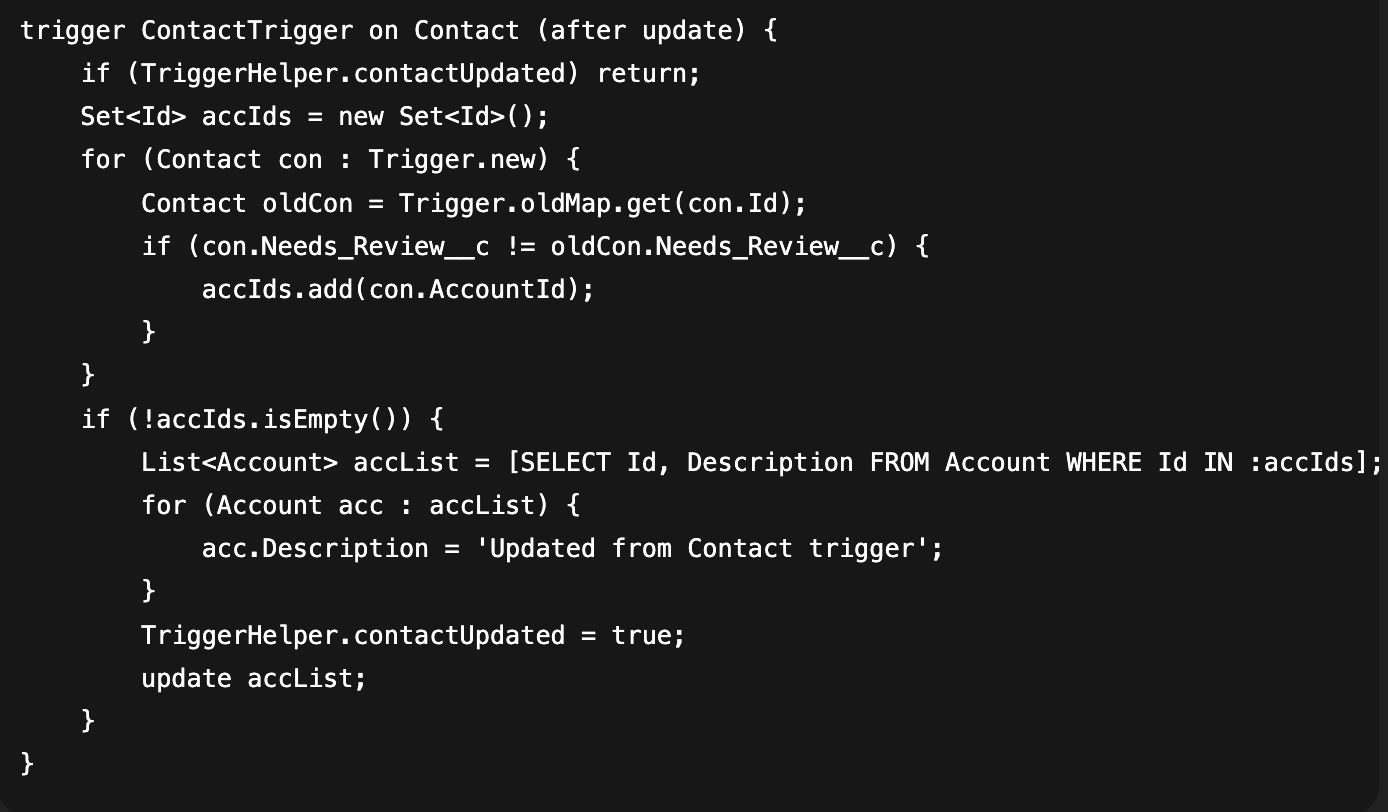
Here, the AccountTrigger updates related Contacts, and the ContactTrigger updates the parent Account. With no recursion guard, the logic keeps bouncing endlessly between both triggers.
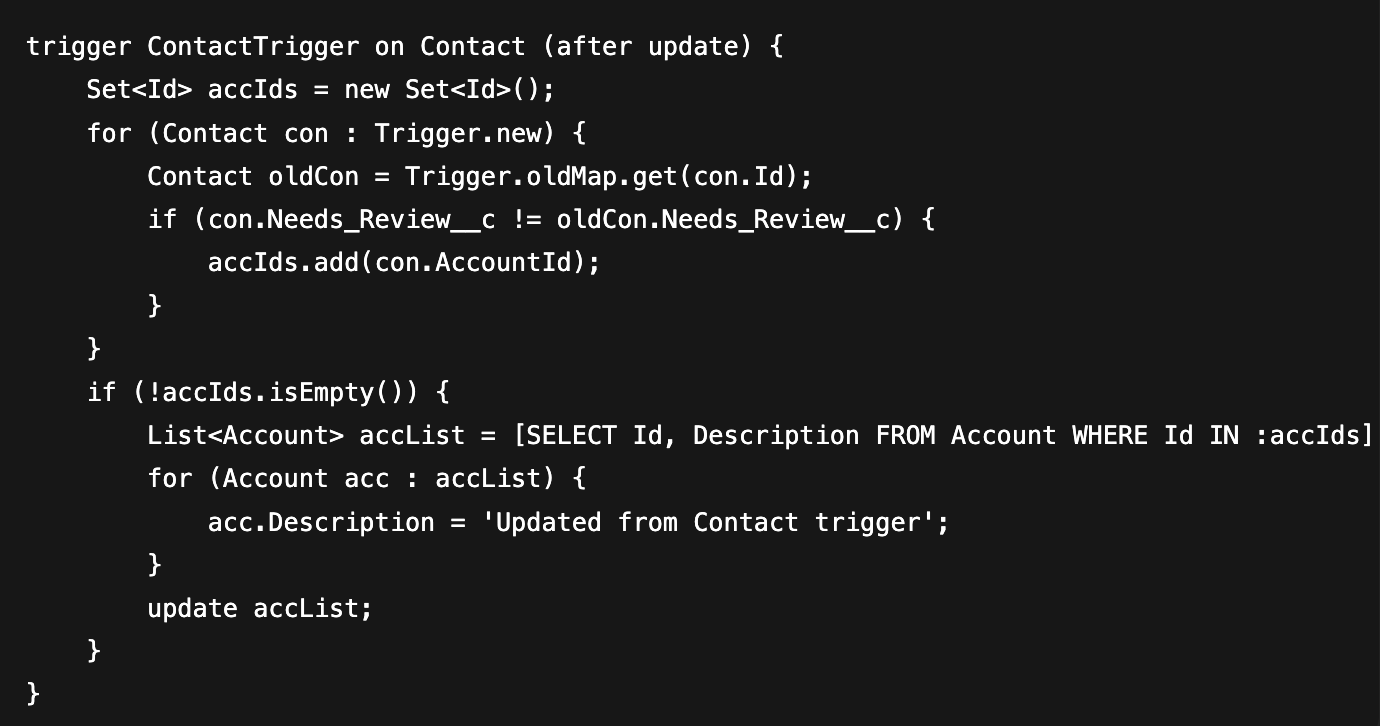

This will fall into a recursive loop the moment you change an Account’s Industry or a Contact’s review status.
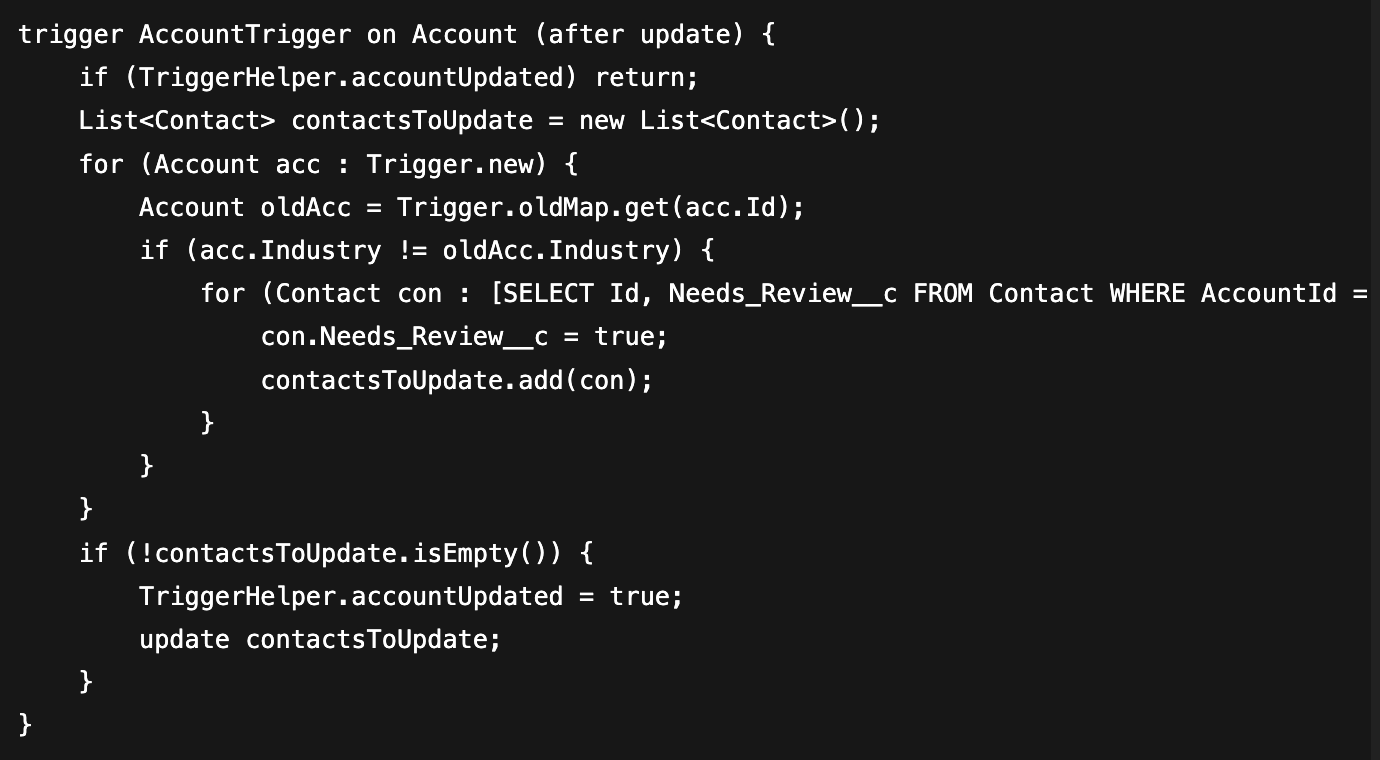
Best Practice:
Introduce static flags in a helper class to make sure the logic runs only once per transaction.
Poor Exception Handling
Why it’s risky:
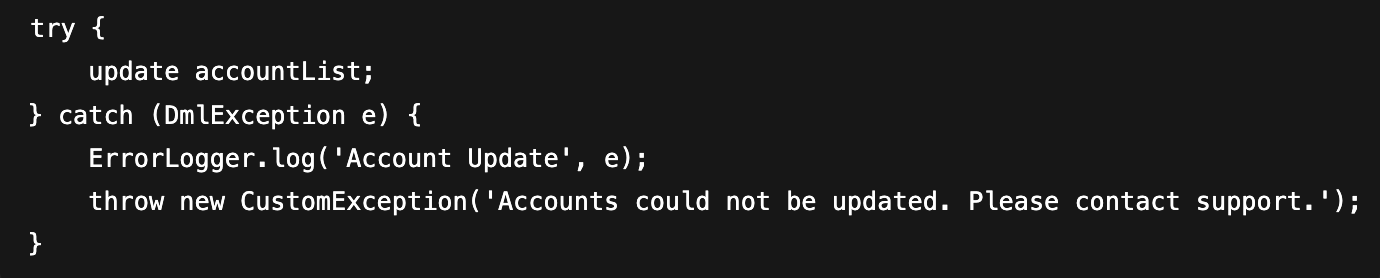
Catching an exception and just logging it in debug means the error vanishes in production. No user feedback, no persistent logging, and no way to troubleshoot later.
Bad Example:

Best Practice:
- Log errors into a custom object or logging utility.
- Surface user-friendly messages when needed.
Summary: Writing Apex the Right Way
Writing Apex isn’t just about making it work; it’s about making it work well in the real world. Keep these simple rules in mind:
- Don’t put SOQL or DML inside loops
- Always bulkify your triggers
- Don’t hardcode IDs or picklist values
- Keep governor limits in mind
By following these basics, your code will be cleaner, faster, and ready for growth.